Manage e-bikes with ease with Comodule Portal
Comodule Portal is the control center for Comodule-connected vehicles, giving real-time visibility and control over every vehicle in your fleet. We’ve rolled out a major update to Comodule Portal, making it smoother to navigate and adding several new features. The portal now features tailored sections for developers, operations, product teams, and OEM partners. As for the new features, portal users can now manage vehicle models, create shareable tracking links, and access a range of fleet analytics.
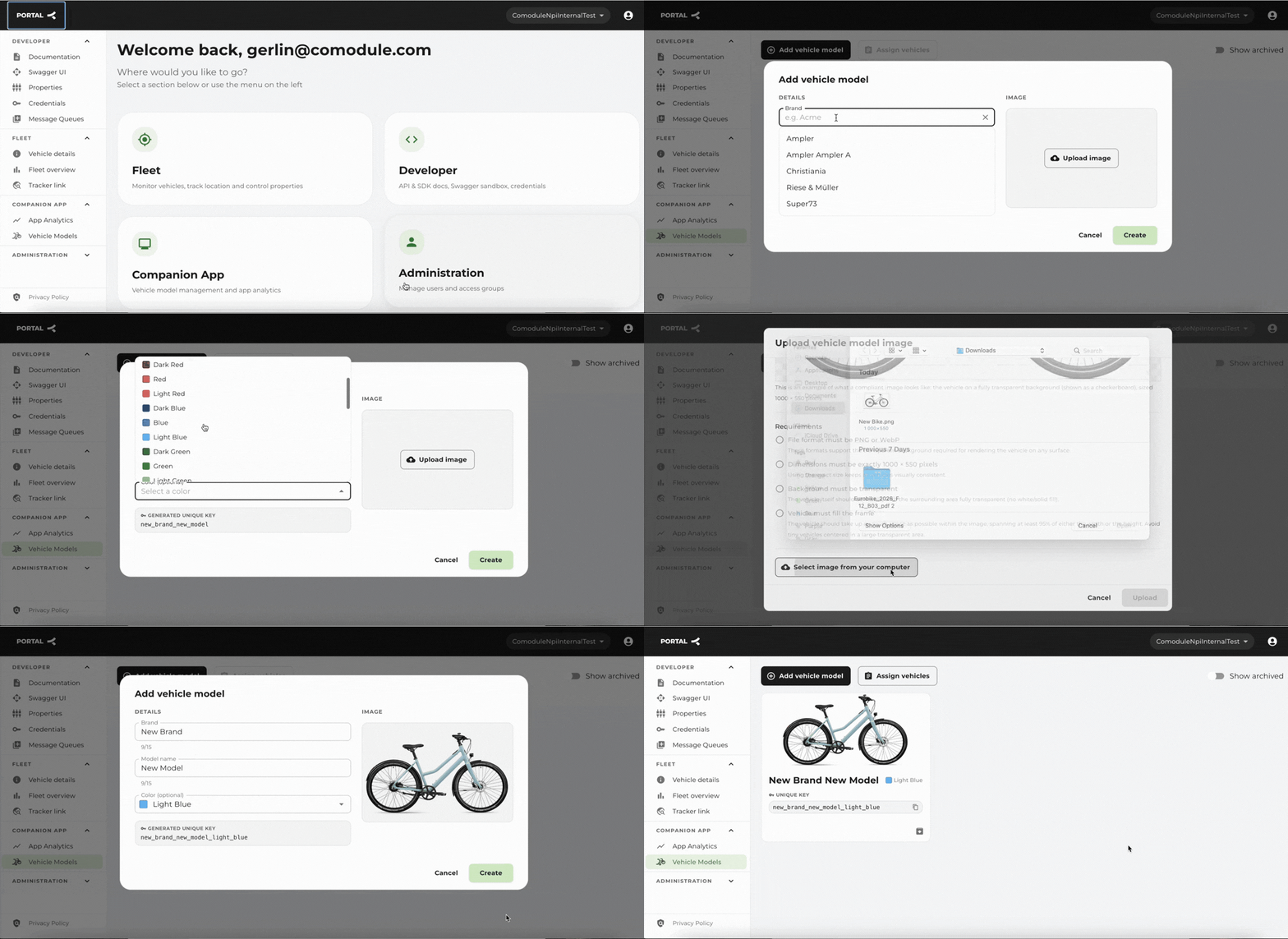
1. Easier to manage vehicle models for the Comodule Companion App
For Comodule Companion App users, we made it easier to add new vehicle models and register IoT modules. Bike brands can now create new and maintain existing vehicle models with high-quality pictures and the possibility to define specific colours for each model. When adding your IoT devices to your fleet, the redesigned CSV bulk upload tool actively guides you through errors for files up to 2000 rows.
2. Create shareable tracking links
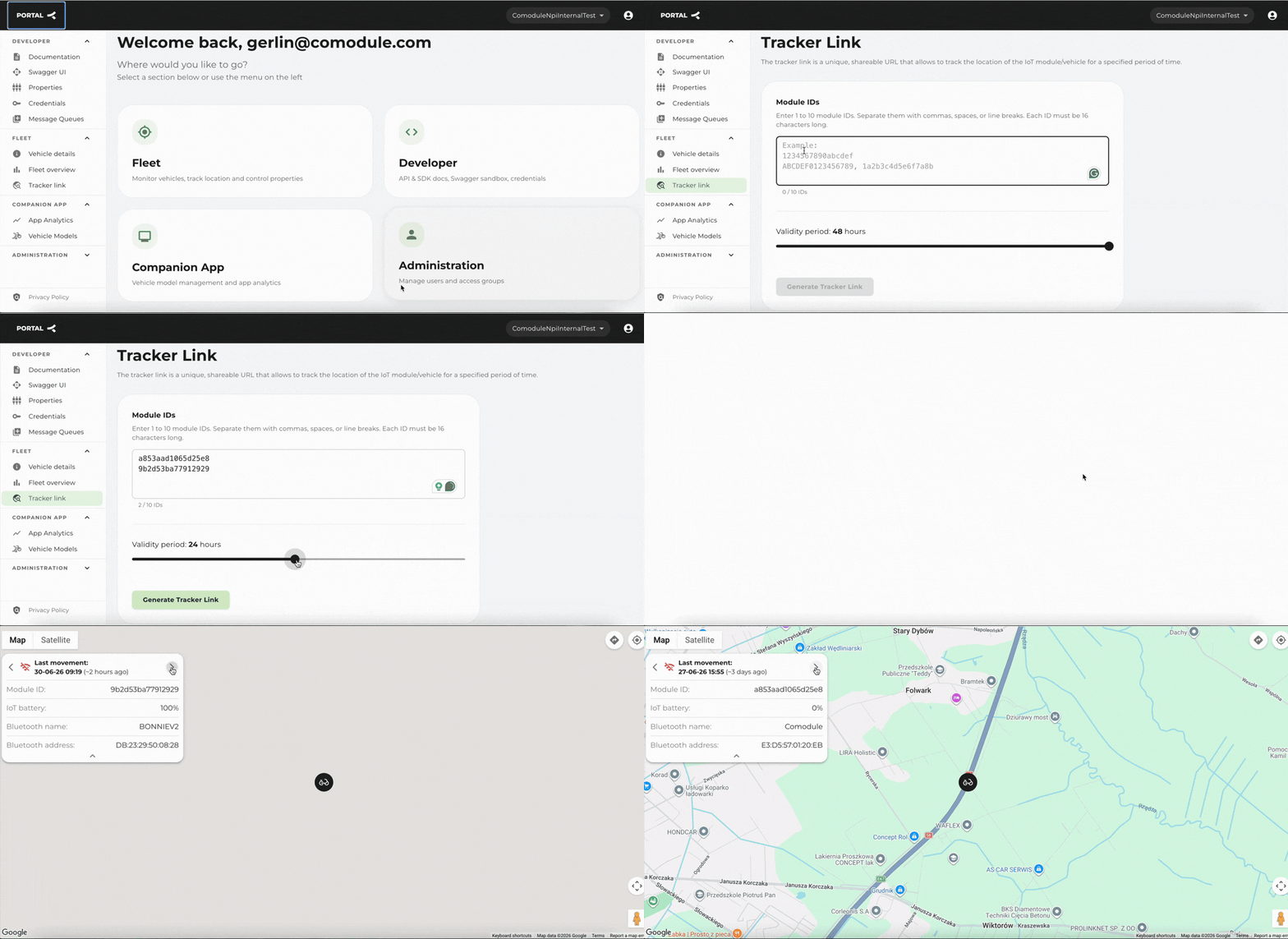
Operations teams can now generate secure, time-limited, and shareable tracking links for up to 10 vehicles at once. Recipients (like bike hunters or police) can view live locations instantly without a Comodule account or login.
Just paste the module ID, select the link validity from 1 to 48 hours, generate the tracking link, and share it with your team or partners. External teams see a unified map of all specified vehicles displaying critical real-time data: IoT module battery levels, e-bike battery levels, and last-location timestamps. Access locks automatically if the link expires.
See how it works:
3. Monitor fleet performance
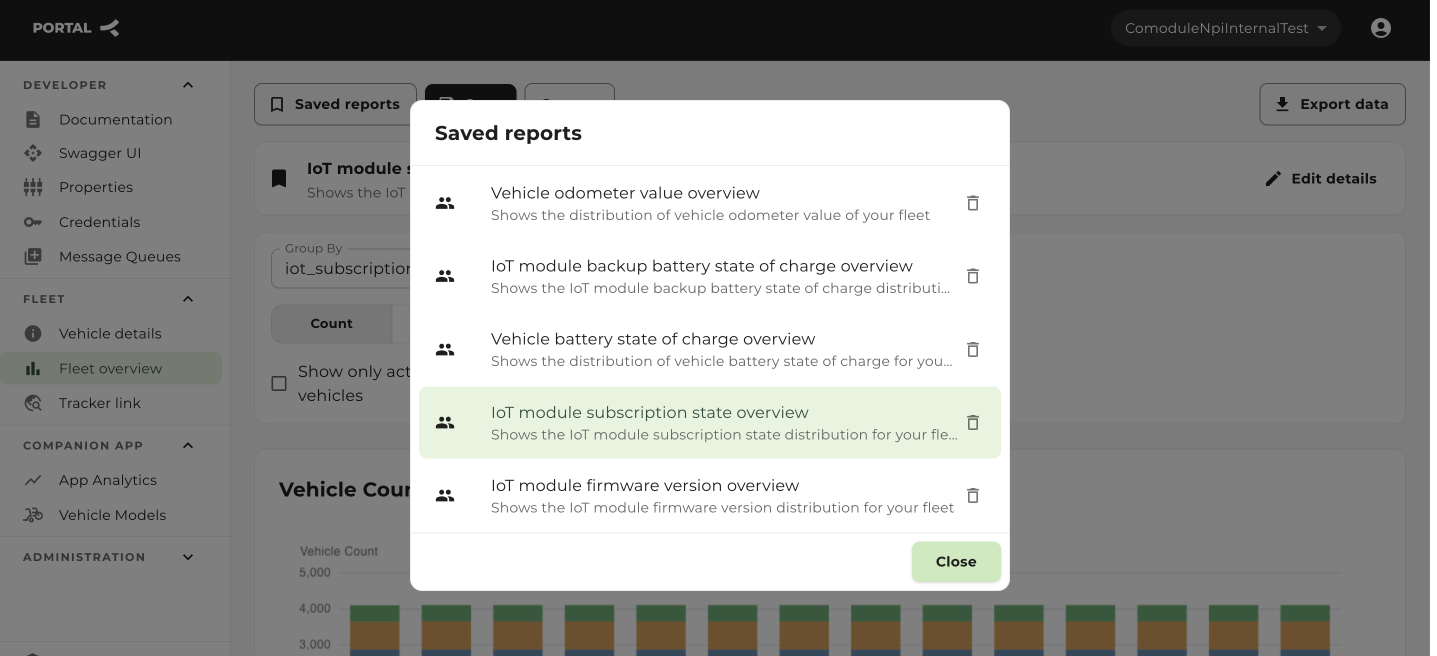
We’ve created a compact dashboard for fleet analytics. You can use predefined views, or filter and group your fleet data yourself. The new dashboard enables you to track fleet properties across a 14-day rolling window, with each chart showing daily data snapshots.
Available reports and metrics:
Fleet activity and utilisation. View daily mileage leaderboards, track regular vs. occasional riders, flag modules that stop transmitting data, and isolate vehicles with active daily movement.
Battery diagnostics. Cross-reference total mileage against battery charge cycles. View bike battery and IoT battery statuses.
Hardware and configurations. View total fleet mileage grouped into 4 distinct tiers. Track live firmware distributions, pinpoint geographical locations by country, audit sleep-mode cellular settings, and view active drive unit error codes.
Subscriptions and services. Monitor module operational states (live, paused, off) and filter modules by their commercial agreements (e.g., 4-year prepaid vs. monthly fees).
These updates are now live. Want to get a demo of the portal? Reach out to sven@comodule.com