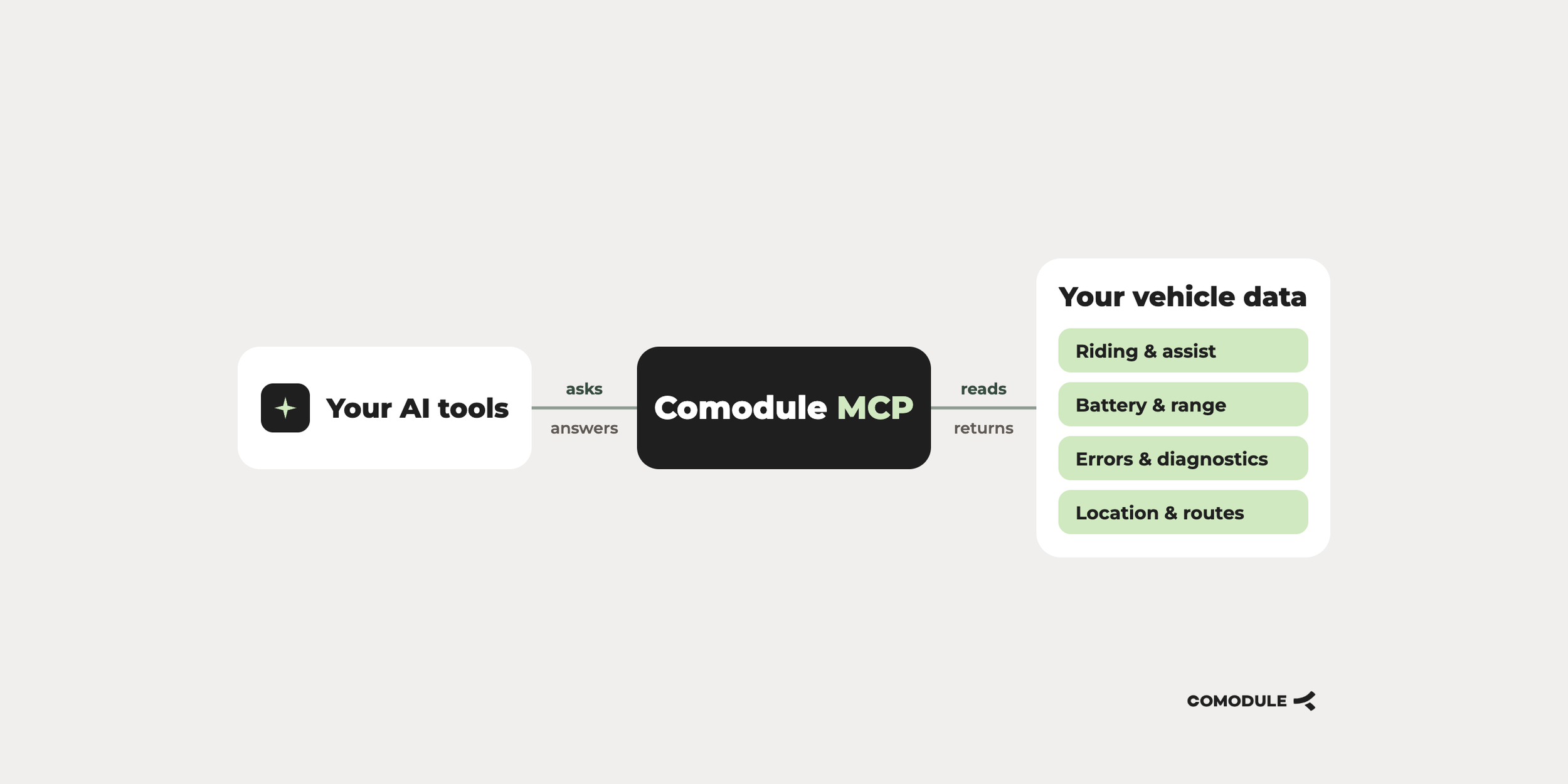
Three letters keep turning up in software roadmaps this year: MCP. Your AI tools mention it, your suppliers are announcing it, and your developers seem quietly excited about it.
An MCP connection can support product managers, quality engineers, service leads, and anyone who has ever waited days for a fleet report.
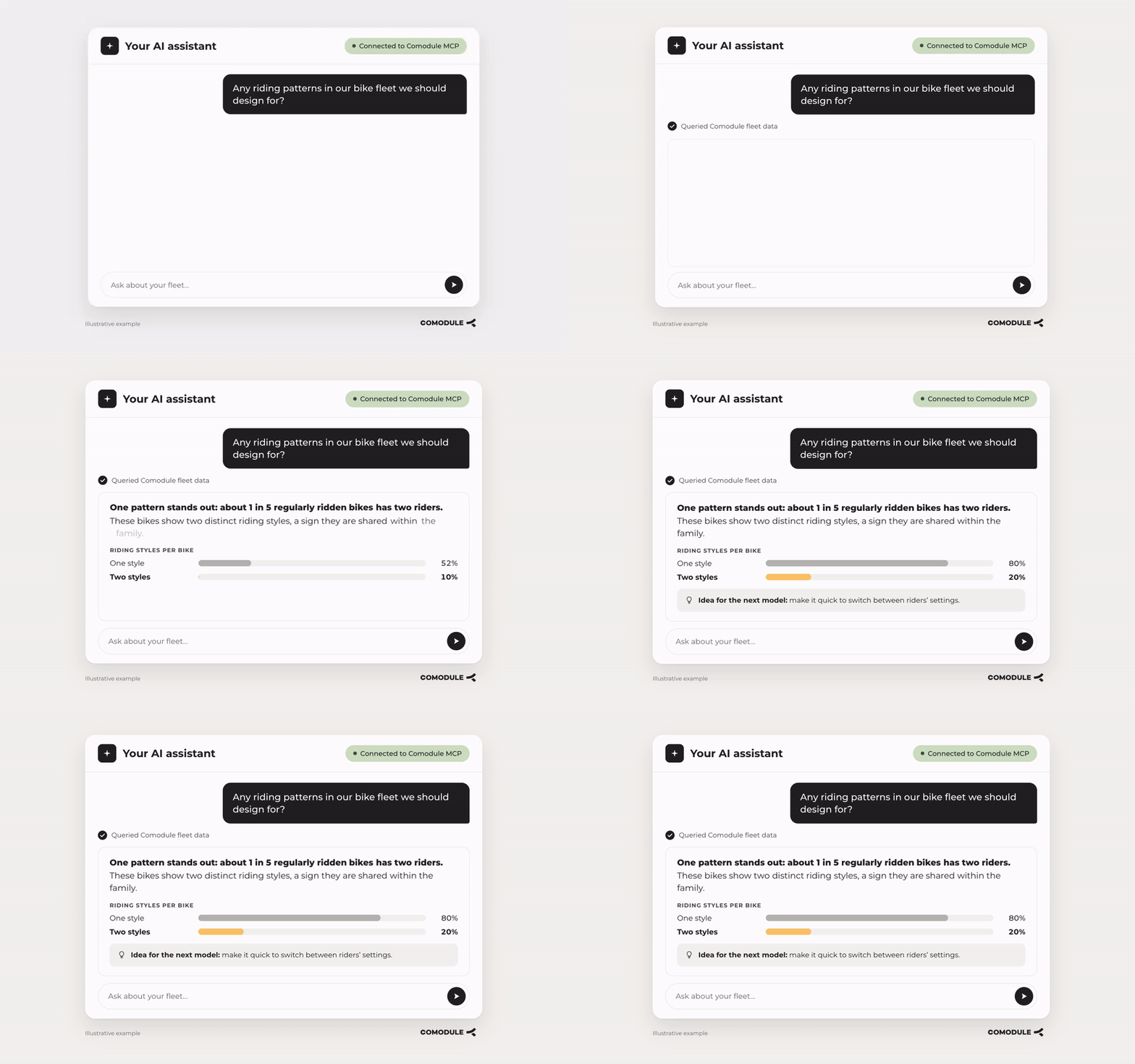
One e-bike brand used it to discover that 1 in 5 of its regularly ridden bikes is shared by family members, pointing to a clear improvement for its next model.
Great answers start with great data
Your AI assistant is already a handy part of the team, whether you use Claude, ChatGPT, or something else. It works with what you share with it, such as meeting notes, last month's export, and your best instincts, answering your questions based on that.
The quality of its answers relies heavily on the quality of the data it has to work with. The fuller and fresher the data, the sharper the insight.
That's where the Comodule MCP comes in
MCP, short for Model Context Protocol, is an open standard for connecting AI assistants to other software.
Comodule MCP integrates with the AI app your company already uses. The AI can then query live and historical data directly from your Comodule-connected vehicles.
Two jobs it does for you
Connect your AI assistant to the Comodule MCP, and it can do two kinds of things:
1. Gets answers straight from your vehicles
You ask in everyday language. The assistant figures out which data it needs, fetches it, and explains what it found. It can see:
Live state of what any vehicle is reporting right now, such as battery level, charging, lock status, location, and signal strength.
History on how every reading has changed over time, across the whole fleet, summarized however you want.
Trip data, such as route and speed profile of individual rides.
Try questions like "Which bikes in Germany haven't checked in for a week?" or "How did battery voltage behave on the new model during its first cold month?" The answer comes from the vehicles themselves, so it's as current as their last check-in.
For many manufacturers, the real blocker has never been a lack of data. It's been not having a data analyst on the team to dig into it. Pair the Comodule MCP with an AI assistant and that blocker is gone. Your team gets accurate data straight from their vehicles, analysed in minutes, to answer the questions they actually have.
2. Acts for you by adjusting vehicles remotely
With the right permission, your AI assistant can also change vehicle settings, such as locking a bike or setting a speed limit. If the vehicle is offline, the change waits and is delivered the moment it reconnects. Ask for "Lock the demo bike we left at the dealer in Utrecht," confirm it, and it's done, without anyone opening a dashboard.
From data to decisions
Comodule MCP has already been used to analyse the fleets of several brands, and the findings are feeding into business and product decisions. In one bike fleet, the AI found that one in five regularly ridden bikes showed two distinct riding styles, a sign that the bikes are shared between family members. That suggests a clear improvement for the next model: make it easier to switch between riders’ settings.
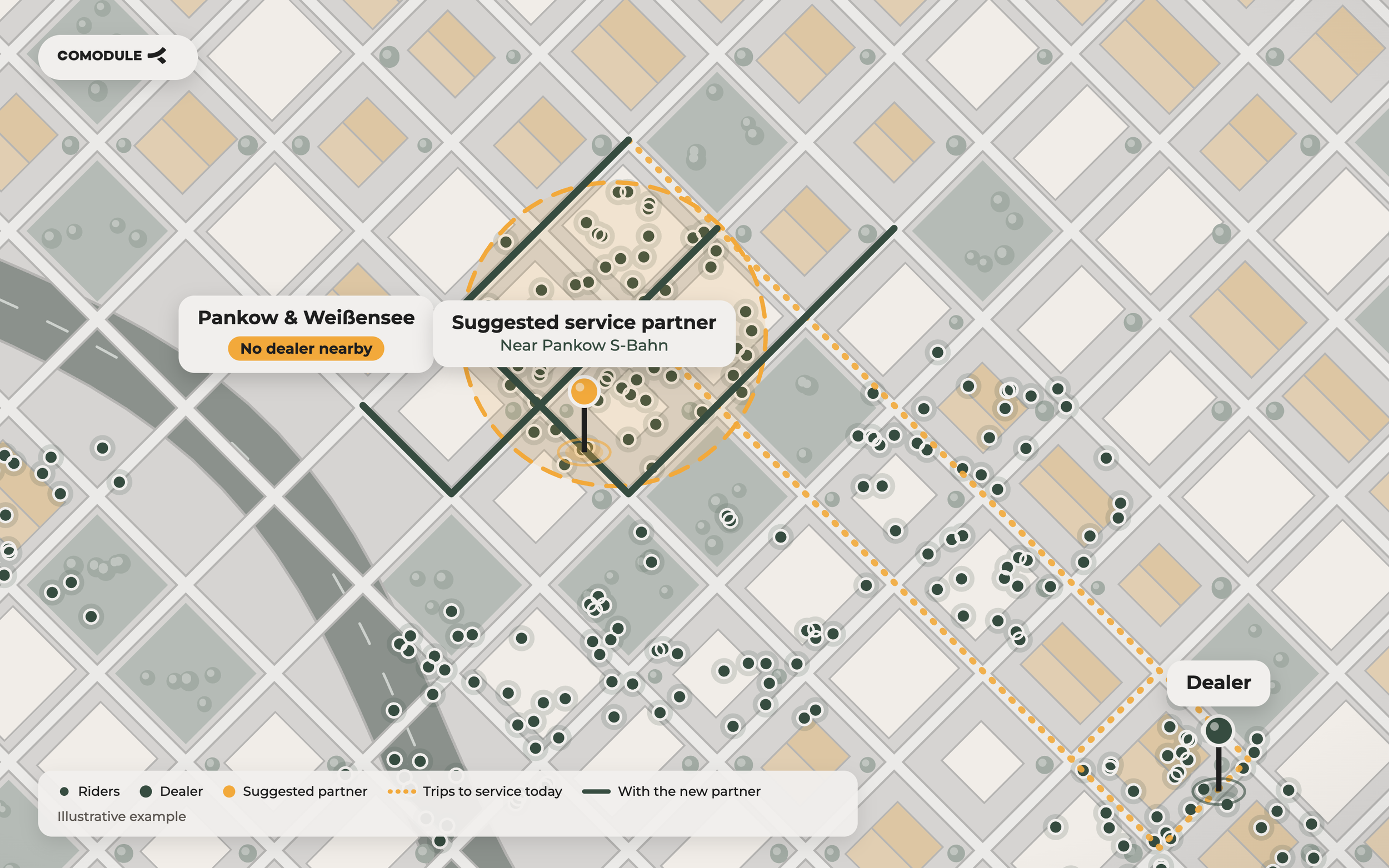
Another analysis compared where the bikes are actually ridden with the brand’s dealer network. Most riding happened near a dealer, but the AI pinpointed several neighborhoods where dozens of bikes regularly ride with no nearby dealer.
Security and control
A few things are worth knowing so everyone starts on the right foot. People always stay in charge. Someone on your team asks, and the assistant responds within the limits you set. Vehicles, API integrations, message queues, and dashboards keep running as they do today, and the MCP simply gives AI tools a door into them.
The clearer the question, the sharper the answer, so a quick sense check is always good practice. Great data means great answers: the assistant works with what your modules report, so well-connected vehicles give you the richest insights.
Your vehicle data is valuable, so control comes built in:
It follows your existing access. The MCP works within the same access groups as the Comodule API. Each brand sees only its own vehicles and the properties enabled for it.
Viewing and acting are separate permissions. Viewing live data, reading history, and changing vehicle settings are granted separately.
Changes need a yes. Before the assistant changes a setting on a vehicle, the person using it is asked to approve the action.
It only uses defined actions. The assistant works through a fixed set of Comodule tools.
Ready to get answers to your questions?
Comodule MCP is available to Comodule customers.
Already connected with Comodule? Reach out to your Comodule contact, and we'll get your team set up.
New to Comodule? Book a demo, and we'll show you what MCP can do with real vehicle data. Reach out to timo.saabas@comodule.com